Possible there which do not like with appearance contact list Yahoo Messenger 9 and wish to make contact list like old yahoo version. By default appearance of contact list Yahoo Messenger 9 like left picture below. Right side picture, after setting of contact list like previous Yahoo Messenger
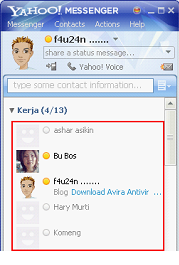
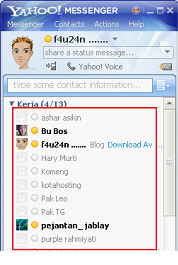
Here how:
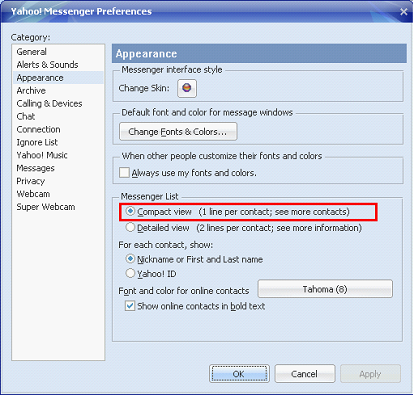
- Click Messenger menu and then select preferences
- In the Chategory sections click Appearance, and in the “Messenger List” sections check “Compact view (1 line per contact ………..)” (red rectangle).
- Click apply, Ok
No comments:
Post a Comment